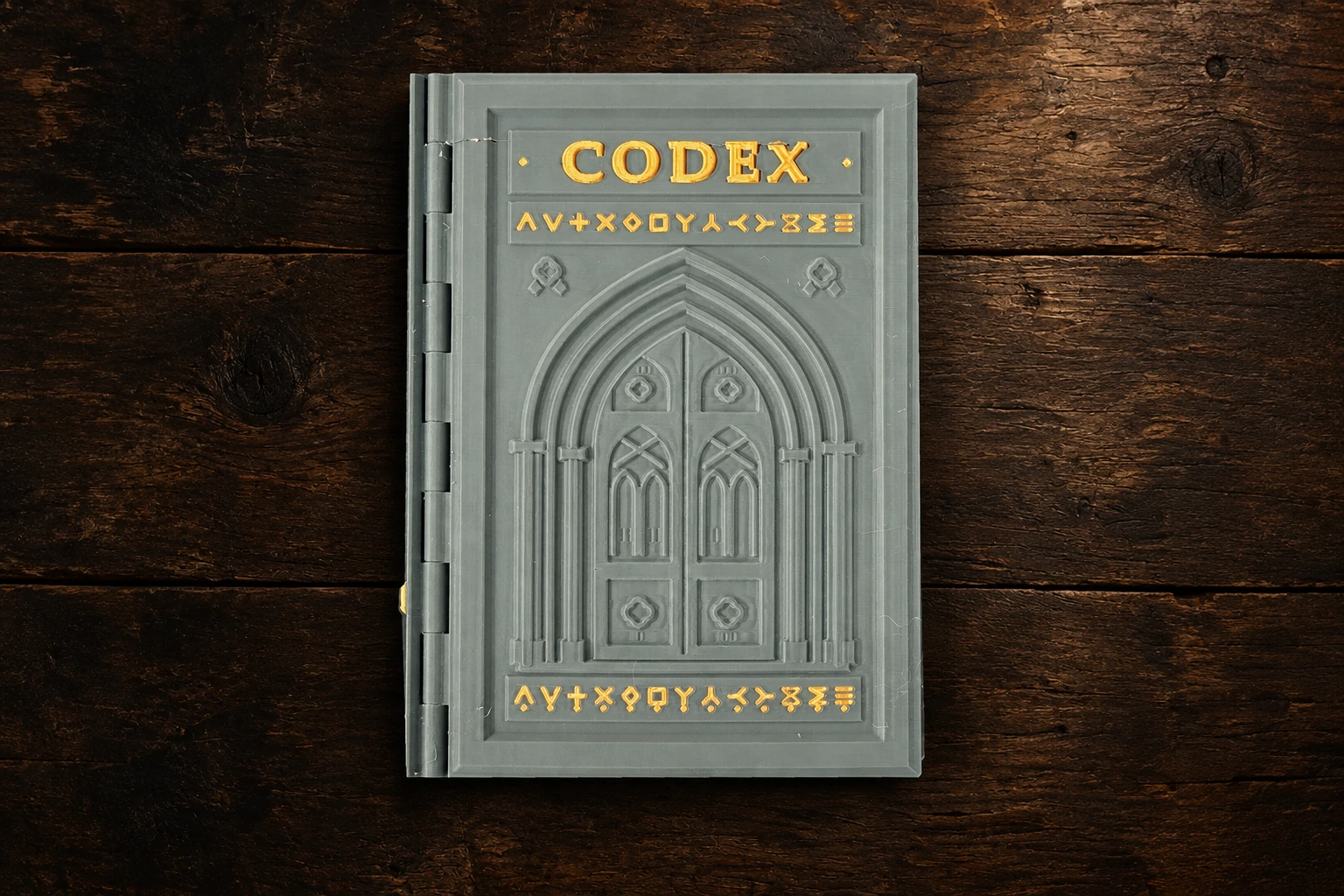
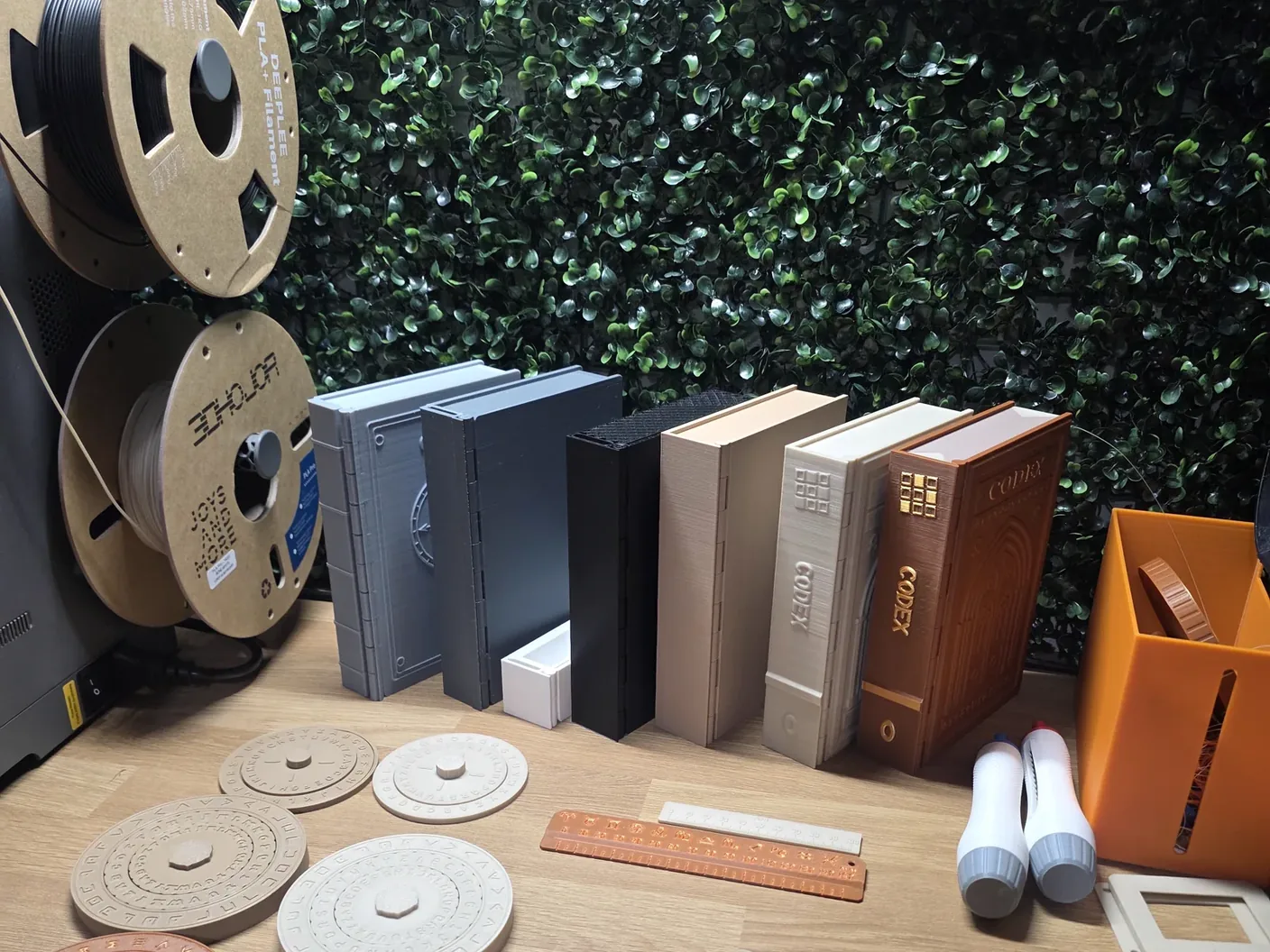
For our physical mysteries, first 3D-print the book and required objects. Then open the browser player to begin your investigation.
Before a physical case
Print. Prepare. Then play.
The Codex / A 3D-printed companion
For a physical mystery after the free web introduction, print both the reusable Codex and that game’s own book before you play. The browser guides the story, while the printed books and any game-specific objects form part of the experience. Check your case’s list of required pieces, download its released files from Your Library, and follow the printing and assembly guidance. The Codex and shared tools will list single-colour and multicolour downloads with released editions; any game-specific middle wheel ring comes with that game.
Have everything ready before opening the case. No printer? Visit Find a maker to learn how independent printing will work. Check each case page for availability and released files; in-development files are not final.
Try the free case. The free Apprentice’s Test needs no printed book, objects or access code. The guide below shows that browser-only introduction.
01 / Find your bearings
The story on one page. Your next proof on the other.
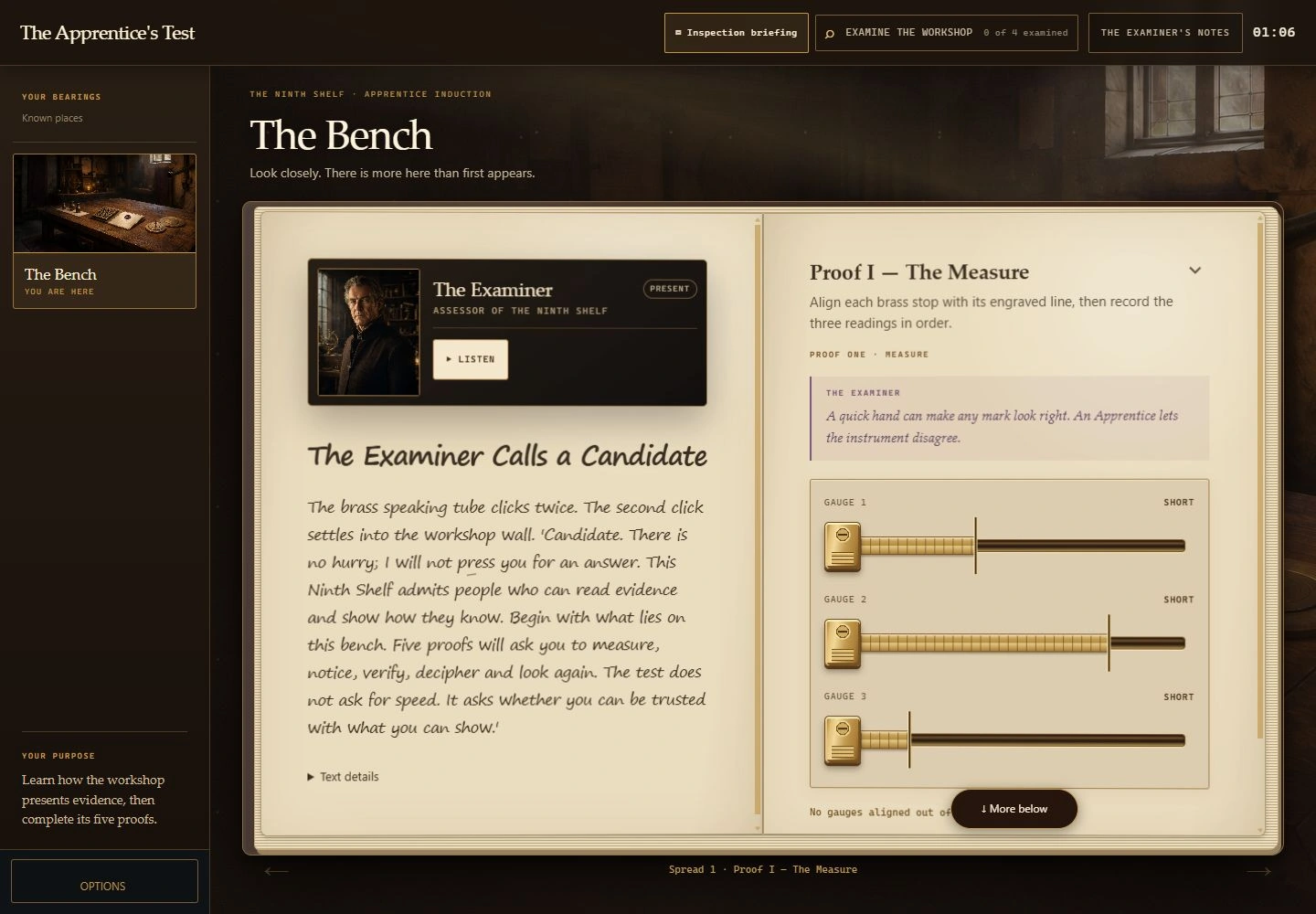
The open book keeps the story and the puzzle together. Read the scene, listen if you like, then try the instrument on the facing page.
Inside The Apprentice’s Test↗
01
Read or listen.
The left page introduces the moment and the people involved. Use Listen for the spoken version; the written story stays there to refer to.
02
Try your idea.
Follow the instruction on the right page and use its controls. Each proof asks you to notice or do something different.
03
Take a nudge.
Look below the puzzle for Hint when you need help. If you see More below, scroll that page to reach the rest of its controls.
02 / Explore the room
Step away from the page. Look around the workshop.
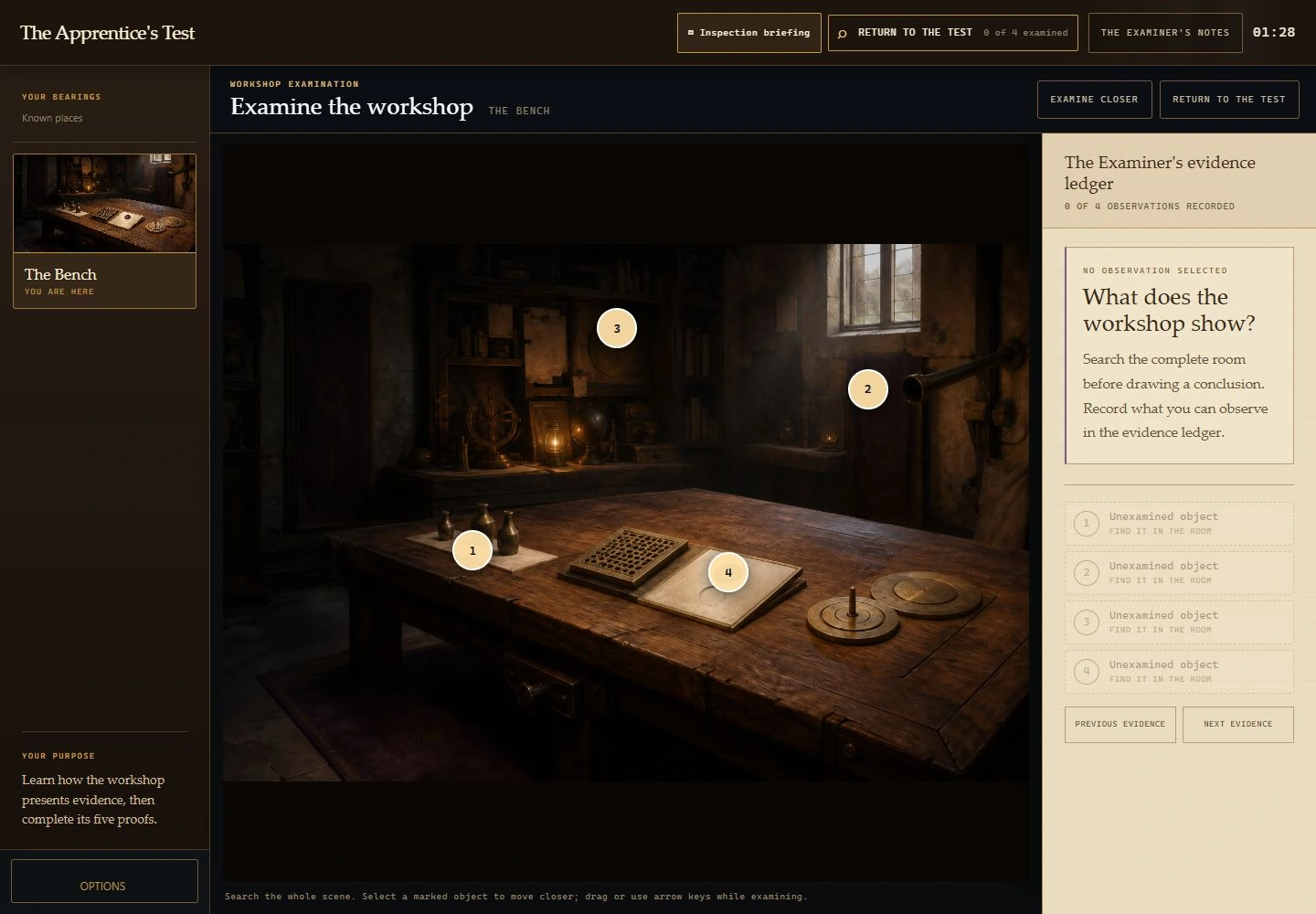
Select Examine the workshop above the book. The room opens with marked objects to inspect and a ledger for the observations you collect.
Examine the workshop↗
Select a numbered object to inspect it. Use Examine closer to look more closely; the view supports dragging and arrow keys.
Choose Return to the test when you are ready to continue. Exploring the room and returning to the book are separate from submitting a puzzle answer.
03 / Make yourself comfortable
Your screen. Your way to play.
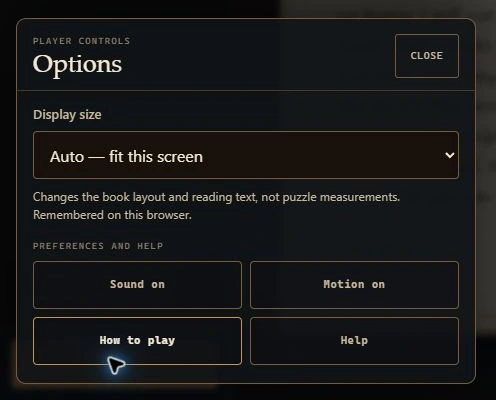
Open Options for sound, atmosphere motion and help. On a laptop or desktop, Display size lets you give the book more room or make the reading text larger.
You can return to the instructions from this menu. For a technical problem, choose Help; for a puzzle nudge, use the hint on the puzzle page.
Preparing a printed case, choosing files or finding someone to print for you? Our illustrated guides take you through the practical details without revealing the answers.
From your first click to your first print: the practical things that make it easier to settle into the story.
What do I need for my first game?
For The Apprentice’s Test, bring an internet connection and a browser. Allow about twenty-five minutes, or take it in shorter visits. You need no printer, Codex, access code or account.
A little paper for notes can help. Headphones are optional. A larger screen gives the book more room, but you can also play on a phone.
Can we play together?
Yes. The Apprentice’s Test is designed for one to four players. Gather around one screen, compare what you notice and take turns using the controls.
Choose one person’s browser or account to hold the group’s game.
What should I do when I get stuck?
Reread the current instruction and look again at the evidence. Say your idea out loud or let someone else try a different approach.
Then use Hint on the puzzle page. Read one nudge, try it, and ask for more only if you need it. If a control appears to be missing, check for More below and scroll the page inside the book.
Hints are there to help you enjoy the mystery. For a button, audio or saving problem, use Help in Options instead.
Can I play with the sound off?
Yes. The written story stays available alongside narration, so you can read at your own pace. Use Options to adjust sound and atmosphere motion. On a laptop or desktop, Display size can make the reading text larger.
You can pause to discuss an idea or inspect something again. Check each case file for its own difficulty, tone and preparation guidance.
How do I prepare for a printed game?
Start with that game’s case file, then open its book in the Library. A physical game needs the printed Codex and its own printed game book; check the exact edition and any additional required pieces before you begin.
Read the guidance beside every file: orientation, layer height, supports, material, scale and assembly where specified. Use the settings for that part. If a setting is not confirmed, do not assume a universal 0.2 mm or no-support profile.
A PDF is for paper; STL and 3MF files are for a 3D printer and slicer. Check the parts fit and move as described before starting. For any case marked In development, wait for its final preparation instructions before printing.
The ending gathers your discoveries and any optional keepsakes for that case. In an account game, your Library also keeps your confirmed progress and completion record.
Printing a keepsake is optional. Check its file guidance and licence first. You can return to your Library to revisit a completed account game or choose a new case from the catalogue.
Ready when you are
The rest is yours to discover.
These screens are from The Apprentice’s Test. Each new case has its own story, puzzles and preparation.